
 Publication:26.08.2026
Enhanced Opening Range & Initial Balance
- Category: Algotrading
- Asset class: Futures, Stocks, Cryptocurrencies
Description
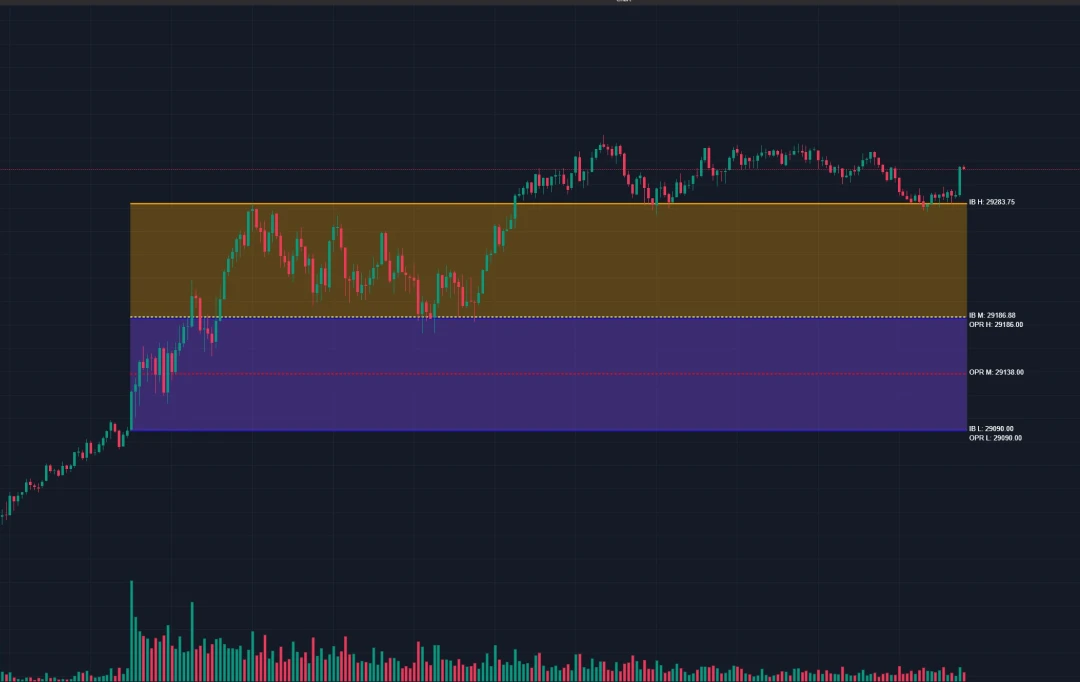
OPR + IB continuously tracks two key intraday ranges — Opening Price Range (OPR) and Initial Balance (IB) — for any configured session.
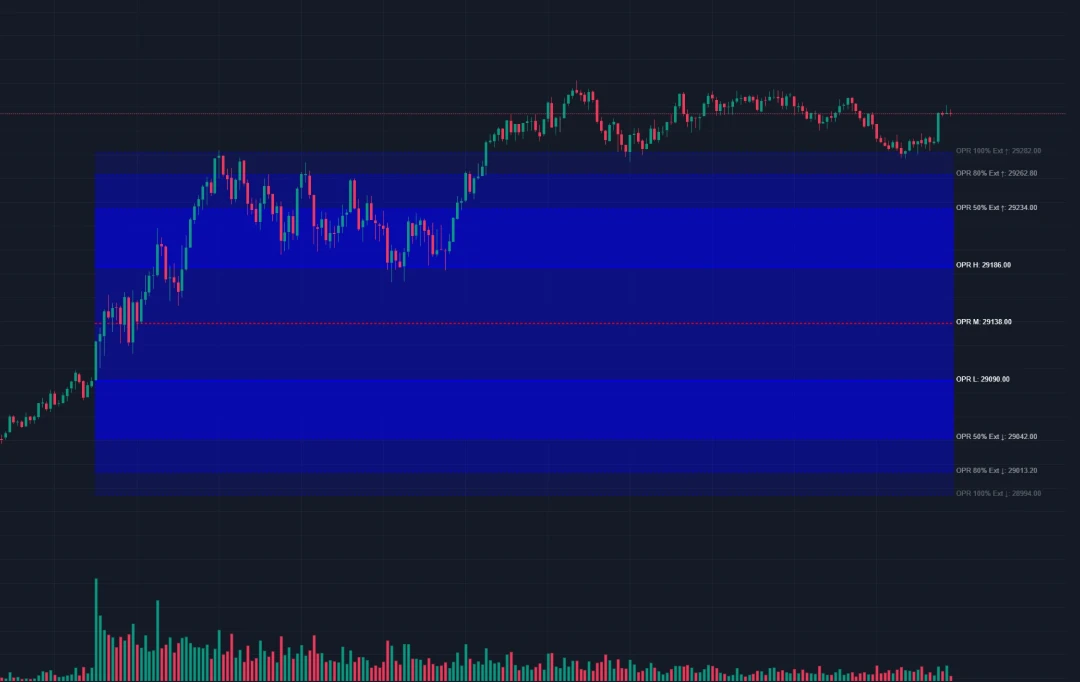
OPR — high/low over a configurable window at session start (default 15 min, 1–240 min). Sets the initial volatility "footprint" traders use to frame the session.
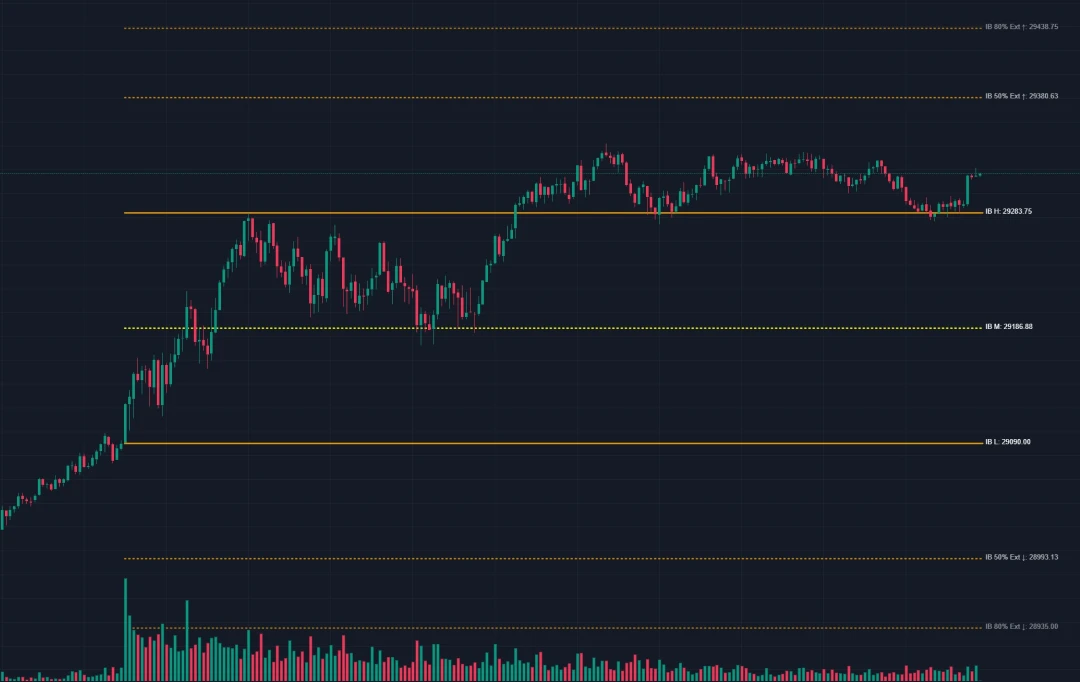
IB — high/low of a longer opening window (default 60 min, 1–240 min), tracked independently of OPR. Describes the broader early-session range.
OPR and IB levels are not a standalone buy/sell signal. The indicator visualizes the session's structural ranges — the trader interprets them independently.
Sessions: US (9:30 AM–4:00 PM ET), Eurex (2:00 AM–12:00 PM chart time), Asia (8:00 PM–3:00 AM, overnight), Custom — own hours and UTC offset (UTC-12…UTC+14).
Extensions. Three levels (First/Second/Third) above and below each range, own % for each (default 50/80/100%, range 1–500%), independent upper/lower toggles, dashed lines with fading opacity (70→50→30%), optional filled zones.
Rendering. Solid lines at highs/lows, dashed midpoint, labels with exact price at the right edge (background fill for any theme). Smart collision avoidance keeps labels tidy even with 18+ active. IB draws beneath OPR.
Traders can read context from price interaction with the levels: holding above/below a high/low — potential breakout confirmation; return to midpoint after an extension — mean-reversion setup; continuation or exhaustion signs at extensions; OPR/IB levels clustering — confluence zone; comparing OPR/IB widths — range expansion/compression.
Problem It Solves
Manually drawing opening levels is slow, error-prone, and repeats every session. OPR + IB calculates, draws, and extends the ranges in real time, freeing the trader to focus on decisions instead of chart markup.
Key Features
- Dual-range tracking — OPR and IB are independent: own duration, colors, visibility.
- Flexible extensions — 3 levels per range (6 total), own % and toggles for each; any custom scheme.
- Multi-session — US, Eurex, Asia, Custom with UTC offset in one indicator.
- No Fill mode — filled zones or lines only, separately for OPR and IB.
- Smart labels — auto-spacing with no overlap (up to 18+ labels), semi-transparent background, renders above other elements.
- Real-time — tick-by-tick updates, lines extend all session.
- Zero config — works instantly with sensible defaults (OPR 15 min, IB 60 min, US session).
How It Works
At session start, the indicator resets and captures highs/lows during the OPR window (15 min) and, independently, the IB window (60 min); the midpoint is calculated automatically. Once each window closes, levels lock and draw as lines for the rest of the session. With extensions enabled, dashed lines project at the configured %, with optional fill. All labels show exact price without overlap.
Settings
- Session — type (US/Eurex/Asia/Custom), custom hours, UTC offset.
- OPR / IB — show/hide, No Fill, duration (1–240 min), extend lines, colors and line width, labels, fill — configured independently for each range.
- OPR / IB Extensions — % for First/Second/Third (1–500%), upper/lower toggles, opacity, fill — separate for each range.
Example Use Cases
- Breakout. Price holds above OPR High — trader watches the move toward First Extension as a reference.
- Mean-reversion. Price reaches IB High and reverses — trader evaluates a return to the midpoint as a target.
- Session transition. At the US open, the trader checks price against the prior Eurex session's OPR/IB levels.
- Extension targets. After a breakout — 50/80/100% levels as sequential reference points.
- Confluence. OPR High, IB Midpoint, and Second Extension close together — a zone of added attention.
- Range compression. Comparing OPR/IB width — a cue to revisit volatility expectations.
Installation
- Download the indicator's
.dllfile. - In ATAS: Indicators → add → select the downloaded file.
- Update the indicator list / restart ATAS if prompted.
- Add it to a chart — it appears as "OPR + IB."
- Configure session, durations, colors, and extensions to your liking.
No extra dependencies required. Works with any instrument and timeframe in ATAS.
Technical Details
- Platform: ATAS v8+
- Language: C#, .NET
- Version: 5.4
- © 2025 MazingerK — All Rights Reserved.
An independent trader and developer building custom indicators for ATAS. Development focuses on practical intraday tools that automate chart preparation and highlight session structure, with an emphasis on clean visual design and full configurability.
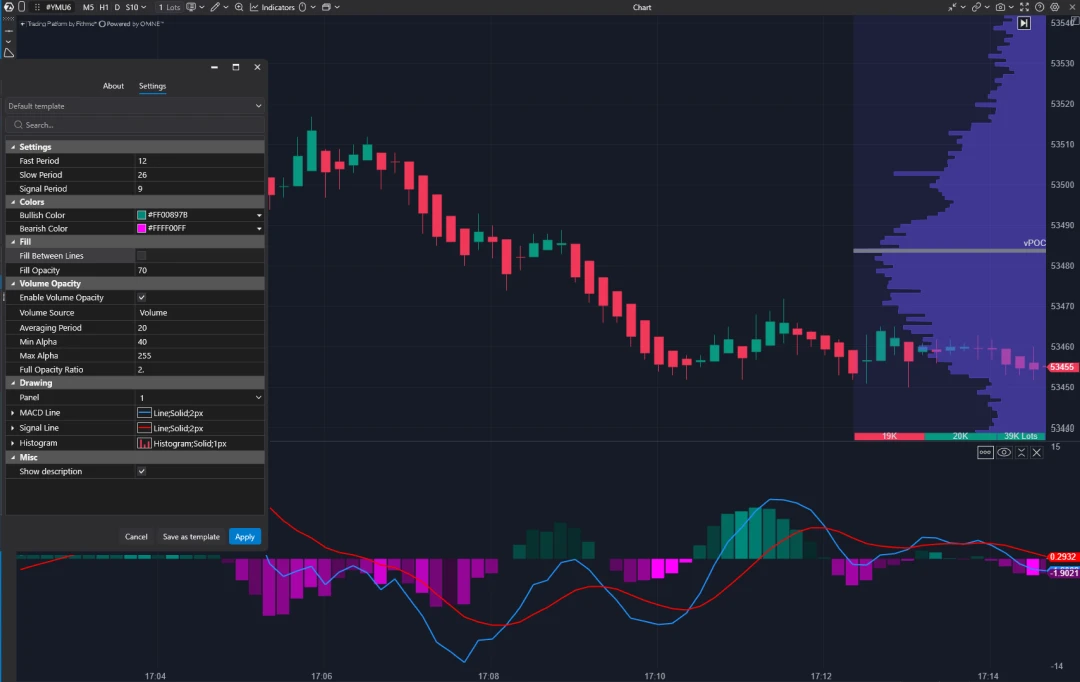
A free ATAS oscillator: plots a Zero-Lag MACD line, a standard EMA signal, and a sign-colored histogram in a separate panel. Bar opacity can be tied to volume, and the gap between MACD and Signal can be filled with separate colors.